Cybersecurity
October 13, 2026
Learn how an AWS security observability platform reduces alert fatigue, improves threat detection, and supports HIPAA compliance with proactive visibility.
For effective phishing protection, pause before acting on unexpected messages. Verify requests using a phone number or website you already trust, not the contact details in the message. Avoid suspicious links and attachments, use multi-factor authentication, keep devices updated, and report suspected phishing promptly.
These habits matter because phishing can turn a convincing email, text, or call into stolen credentials, malware, or a fraudulent payment. No single check catches every attempt. People, clear verification steps, and technical controls work best together.

Phishing is a type of social engineering: attackers pose as trusted people or organizations to persuade someone to reveal information, open a harmful file, visit a fake website, or send money. Their goal may be to steal account credentials, install malware, access a business network, or divert a payment.
A message might appear to come from a bank, government agency, supplier, colleague, or company executive. Attackers can copy real branding and use lookalike domains or spoofed sender details. They often add urgency, fear, or an enticing offer to make the request feel routine but time-sensitive. AI tools can also help create polished, personalized messages, so spelling and grammar alone are no longer reliable clues.
The CISA guidance on recognizing and reporting phishing recommends pausing when a message creates pressure or asks for sensitive information. If you are unsure, verify it independently rather than using a link or phone number in the message.
Phishing can arrive through many channels, and attackers often combine them:
Phishing can happen at any time, but attackers often take advantage of deadlines and busy periods. Tax season may bring fake tax-agency or tax-software messages. Early-year payroll and tax-form processing can create opportunities for fraudulent W-2 or 1099 requests. Financial year-end close may bring urgent messages about invoices, audits, or account changes. During holidays, people may be distracted by delivery alerts, charitable appeals, bonus notices, or event expenses.
These are risk patterns, not fixed attack seasons. A convincing request can arrive outside any calendar period. Verify changes to payroll, payment instructions, or sensitive records through a separate, known channel, especially when a message says there is no time to check.
Look at the full request, not just the logo or display name. A familiar sender name may hide an unfamiliar email address, and a lookalike domain may differ from the real one by a letter, added word, or unusual ending. Shortened links can conceal their destination. On a phone, the small screen may make a URL harder to inspect, so avoid entering credentials through a link in an unexpected message.
Other warning signs include:
None of these signs proves a message is fraudulent, and their absence does not prove it is safe. AI-generated messages can be fluent and convincing. When a request could affect money, access, or sensitive information, confirm it using contact details you already have. The NIST phishing guidance for small businesses also emphasizes treating links and attachments cautiously and verifying requests independently.
Before responding to an unexpected message:
For workplace email, follow your organization’s reporting procedure. Our guide to reporting phishing emails in Outlook explains how to use Outlook’s reporting tools.
Security teams should consider reports from employees alongside technical signals. These may include unusual sign-ins, access from unexpected locations, suspicious mailbox forwarding rules, repeated or unexpected MFA prompts, and unusual payment activity. Email headers and security logs can help analysts investigate where a message came from and what happened after it arrived.
A single signal may have a legitimate explanation. Correlating email, identity, endpoint, and network information can help teams distinguish an isolated false alarm from activity that needs action. AI-assisted analysis can help surface patterns, but skilled analysts remain important for assessing context and deciding what to do. Our overview of AI-assisted phishing detection discusses how detection can support that work.
No person or filter can identify every phishing attempt. A stronger approach reduces the number of harmful messages that reach people, limits the damage if someone interacts with one, and makes reporting and response straightforward.
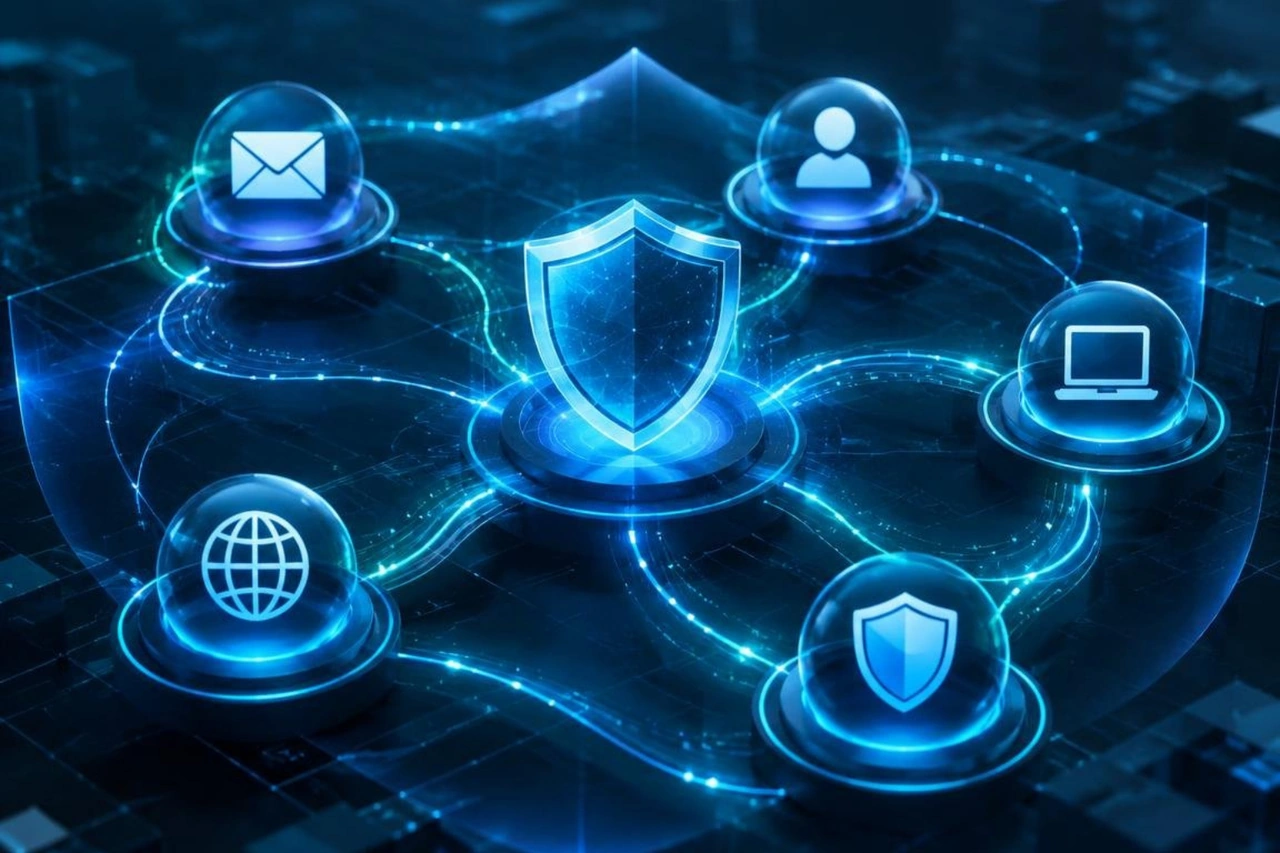
Organizations can use this checklist to build or review their controls:
The NCSC guidance on layered phishing defenses explains why organizations should not rely on users alone: some attacks will get through, so technical controls and incident readiness matter too. For more on combining email controls and monitoring, see our guidance on email threat detection.
MFA adds another check beyond a password, making it harder for someone to sign in with a stolen password alone. However, not all MFA methods provide the same protection. Attackers may use fake sign-in pages that relay credentials and one-time codes in real time. SMS codes can also be exposed through SIM swapping, while repeated push prompts may lead to “MFA fatigue,” where a user approves a request just to stop the notifications.
Where services support them, passkeys and FIDO security keys offer phishing-resistant authentication by tying sign-in to the legitimate website or service. PKI-based authentication is another option in some environments. If push approvals are used, number matching can help users distinguish a real sign-in from an unsolicited prompt. Never approve an MFA request you did not initiate; report it promptly.
MFA is one layer, not a guarantee. Combine it with unique passwords, session monitoring, least-privilege access, and user reporting. The joint CISA phishing guidance covers phishing-resistant MFA and other ways to reduce the impact of credential theft.
Training helps employees understand common tactics and know how to verify and report a suspicious request. Make it relevant to each role: payroll and finance teams need clear procedures for handling payment and tax-form requests, while executives and their assistants may need extra practice verifying high-impact instructions.
Teach employees to confirm unusual requests through a second channel, such as a known phone number or in-person conversation. Make the reporting process quick and clear, and tell people they will not be blamed for reporting a mistake. A timely report can help security teams contain an incident before it spreads.
Phishing simulations may be one training tool, but they cannot teach people to spot every attack. If used, they should be designed thoughtfully and should not reward silence or punish employees for clicking. Track whether people report suspicious messages and how quickly they do, not only whether they interact with a simulation. Our resource on protection beyond phishing simulations explores how training fits into broader defenses.
Smaller organizations can start with controls that protect widely used accounts and reduce routine risk. Turn on the protections included with your email service, use MFA for email and financial accounts, and enable automatic updates for operating systems and applications. Add DNS filtering if it is practical for your environment, and review who has administrator access.
Write down who employees should contact if they suspect a phishing attempt, including an after-hours contact for urgent incidents. Establish a verification process for bank-detail changes and unusual payment requests. Keep backups and confirm that important data can be restored. Prioritize protections based on the accounts and systems that would cause the greatest disruption if compromised.
For a broader look at email controls, see our email gateway security guidance.
Fast reporting gives an organization a chance to limit access, investigate related activity, and warn others. Do not wait for proof before contacting IT or security if an employee has clicked a link, opened an attachment, entered credentials, or approved an unexpected MFA prompt.
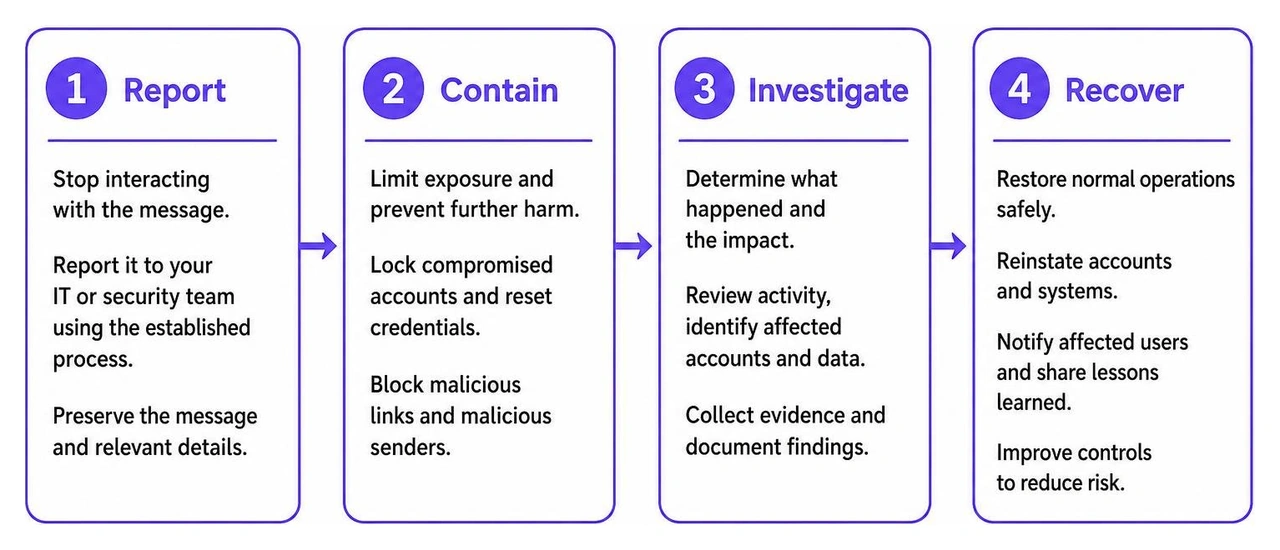
A practical response sequence is:
The right response depends on what happened. A suspicious message that was only received may require different steps from a stolen password or an executed file. Coordinated visibility across the attack chain can help teams connect the original message to identity, device, and network activity. Our resource on layered protection across the attack chain explains why those connections matter.
Act promptly, but do not panic. Tell your IT or security team what you clicked, what information you entered, and when it happened. If you entered a password, change it from a trusted, unaffected device and change it anywhere else you reused it. Ask your security team to revoke active sessions and tokens, check sign-in records, and reset MFA if needed.
If you downloaded or opened a file, follow your organization’s instructions; disconnect the device if malware is suspected and avoid using it for sensitive account changes until it has been checked. Contact your bank or affected service provider if payment details or personal accounts were involved, and monitor for unauthorized activity. Record the timeline and actions taken to support the investigation. Our guide to finding security gaps before attackers do offers ways to assess where defenses may need improvement.
No. MFA can prevent an attacker from using a stolen password by itself, but some attacks can capture one-time codes or trick users into approving a sign-in. Passkeys and FIDO security keys provide stronger phishing resistance because they bind authentication to the legitimate service. Use MFA alongside email filtering, unique passwords, monitoring, and a clear reporting process.
There is no single calendar that predicts every campaign. Tax deadlines, early-year W-2 and 1099 processing, financial year-end, and holiday periods can give attackers timely themes to exploit. They may also imitate invoices, payroll changes, deliveries, or urgent account notices at other times. Verify unusual requests year-round.
Triage the message and find out whether the employee opened an attachment, visited a link, entered credentials, or approved an MFA request. Contain affected accounts or devices as needed, investigate relevant email and sign-in logs, and reset access if credentials may be compromised. Contact financial institutions or affected parties when appropriate. Then share useful findings and improve controls without discouraging future reporting.
A reliable checklist combines careful verification, layered technical controls, useful training, and fast reporting. Pause before acting on unexpected requests, confirm them through a known channel, and tell the right people promptly when something seems wrong. Review your controls regularly because attacker tactics and the systems your organization relies on change over time.
WhiteDog Cyber complements and extends Microsoft environments to help organizations maximize their existing Microsoft investment. Delta 360 (Δ360), built on WhiteDog’s Open XDR framework, adds a unified operational and security layer across Microsoft and third-party tools to improve correlation, visibility, security hardening, threat detection, exposure management, and response. Open XDR provides unified visibility and detection; it does not include managed response. MDR, XDR, and Delta Detection & Response (DDR) include fully managed 24/7 SOC capabilities and incident response, with Delta Detection & Response (DDR) as the top-tier offering.
WhiteDog’s continuous attack surface management and 24×7 security operations build on correlated intelligence to identify threats earlier and help teams respond with confidence. The WhiteDog unified cybersecurity platform brings together security capabilities across email, DNS, identity, endpoint, network, cloud, and data, through modular integration with existing investments.


Learn how an AWS security observability platform reduces alert fatigue, improves threat detection, and supports HIPAA compliance with proactive visibility.
Learn how to check DNS security across your infrastructure with a 5-step audit, including DNSSEC, email records, and CAA validation.
Master enterprise risk reduction with this detailed guide covering ERM frameworks, AI governance, and cybersecurity strategies for 2026.
Compare top AWS incident response solutions for rapid remediation, automated triage, and containment with native tools and expert escalation paths.

Harden your Amazon Linux firewall with firewalld and nftables to meet STIG compliance, block lateral movement, and secure AWS EC2 hosts.

Implement data governance to improve data quality, ensure compliance, and reduce risk across your enterprise lifecycle.