Cybersecurity
August 26, 2026
Learn how XDR risk reduction eliminates blind spots across endpoints, identity, and cloud to slash detection time and stop attacks faster.
CylancePROTECT Mobile, also called BlackBerry Protect Mobile, uses AI-driven risk assessments to identify threats such as malicious apps and unsafe networks. Its integration with Microsoft Intune can turn those findings into access decisions: a risky device may lose access to corporate email or SharePoint Online until the issue is resolved. For SecOps teams, the key question is whether those mobile risk signals also reach the people and tools investigating the wider attack.
WhiteDog helps organizations maximize their existing Microsoft security investments, not replace them. Delta 360 (Δ360), built on WhiteDog's Open XDR framework, adds a unified operational and security layer across Microsoft and third-party tools to improve correlation, visibility, security hardening, threat detection, exposure management, and response. Open XDR provides unified visibility and detection only, not managed response. WhiteDog's MDR, XDR, and top-tier Delta Detection & Response (DDR) offerings include fully managed 24/7 SOC capabilities with incident response included. Continuous attack surface management and 24×7 security operations build on correlated intelligence to identify threats earlier and respond with confidence.
I'm Shahin Pirooz. My experience building cloud and managed security services shapes this review of Cylance BlackBerry Protect and what its mobile signals mean for SecOps.
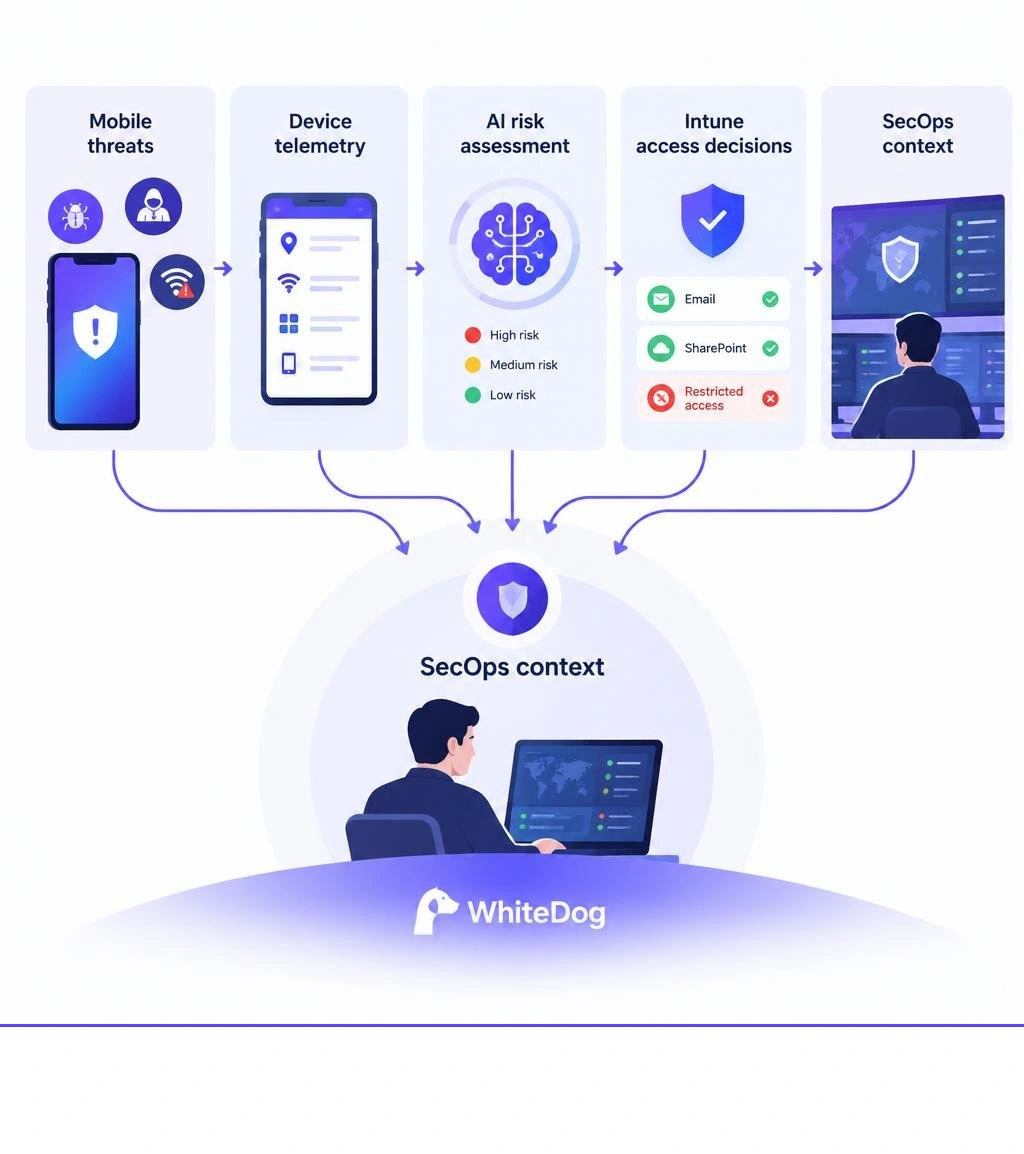
For the first time, more than half of all devices connected to the Internet are mobile. This dynamic makes handheld endpoints a primary target for corporate espionage, credential harvesting, and network intrusion. Mobile malware attacks rose 50% in the last year alone, illustrating why legacy antivirus tools built around reactive signatures no longer suffice.
In response, organizations use Cylance BlackBerry Protect to deliver automated, on-device mobile threat defense (MTD). Rather than relying on periodic signature downloads, the solution captures real-time telemetry across the mobile operating system, network stack, local file system, and installed applications. It then checks this data against advanced algorithmic models to detect anomalies and neutralize zero-day exploits before malicious payloads execute.
Modern MTD extends the core principles of endpoint detection and response to mobile endpoints. It secures devices running Android 9.0+ and iOS 13.0+, allowing security operations (SecOps) teams to establish continuous visibility across corporate-owned and BYOD assets.
| Security Vector | Detection Mechanism | Operational SecOps Impact |
|---|---|---|
| Malicious Apps (APKs/IPAs) | Cylance AI algorithmic code analysis | Blocks zero-day malware before execution |
| Network Interception (MITM) | SSL/TLS certificate inspection & Wi-Fi spoof checking | Prevents unencrypted data exfiltration |
| Phishing & Unsafe URLs | Real-time browser and SMS inspection | Stops credential theft and malicious downloads |
| OS Tampering & Rooting | Hardware certificate attestation & kernel checks | Denies compliance access to compromised OS layers |
| Sideloaded Applications | App integrity and signature verification | Identifies shadow IT and unauthorized enterprise profiles |
The foundation of BlackBerry Protect’s mobile engine rests on its CylanceINFINITY cloud framework. Traditional signature scanners match strings of known bad code. By contrast, Cylance uses machine-learning models trained on billions of threat samples to evaluate the underlying characteristics, structure, and intent of unknown binaries.
Mathematical modeling operates with minimal device performance overhead. The local agent extracts lightweight code features and file metadata, which it scores in real time without draining mobile battery life. This predictive modeling identifies weaponized documents, privilege-escalation scripts, and disguised trojans on day zero—well before threat researchers catalog them in global signature databases.

Mobile devices operate across uncontrolled networks and encounter unique threat vectors daily:
Addressing these dynamic risks reinforces why a layered defense is critical across mobile environments.
A standalone mobile threat defense alert is only as useful as the remediation policy it triggers. Cylance BlackBerry Protect integrates with Unified Endpoint Management (UEM) platforms—most notably Microsoft Intune and BlackBerry UEM—to translate threat signals into dynamic access control policies.

Through direct connector synchronization, telemetry evaluated by Cylance is translated into a standardized risk score (Low, Medium, High). This score informs conditional access decisions across the organization’s cloud and on-premises infrastructure.
Connecting BlackBerry Protect Mobile to Microsoft Intune provides dynamic risk-based access control through Microsoft's Mobile Threat Defense connector framework, linking the BlackBerry Unified Endpoint Security (UES) cloud console with Microsoft Intune.
To establish this integration, enterprise environments require three components:
Once synchronized, Intune evaluates device risk via two main tracks:
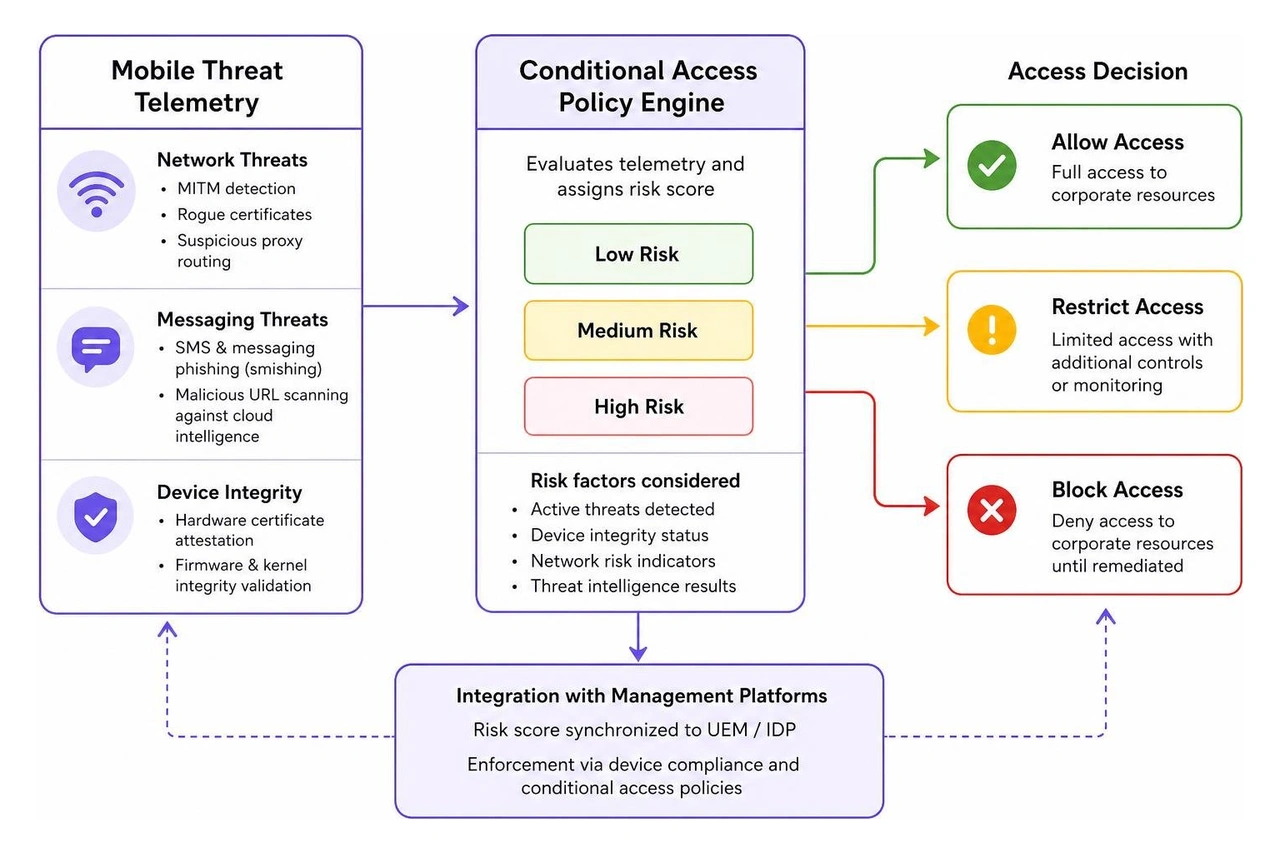
Consider how automated risk mitigation functions during daily SecOps operations:
Proactive, automated remediation keeps endpoint risk from escalating into wider organizational compromise. For a broader look at identifying modern attack strategies, consult our threat detection guide for 2026.
Even the best endpoint security agents are ineffective if disabled, misconfigured, or uninstalled. Threat actors frequently attempt to blind security teams by terminating endpoint agents, modifying service registries, or manipulating local OS permissions.
To address this challenge, BlackBerry implements firmware-embedded Application Persistence for CylancePROTECT.
This persistence technology is factory-embedded in the firmware of more than 500 million endpoints globally. It acts as an undeletable digital tether anchored directly into the device's BIOS/UEFI layer.
If a user uninstalls Cylance BlackBerry Protect, or if malware tampers with its underlying services, the firmware-embedded persistence engine detects the failure autonomously. Without requiring human intervention or a network push from IT, the system reinstalls or repairs the agent, restores its configuration, and verifies continuous telemetry streaming.
This level of self-healing is vital because endpoint security isn't enough if the agents guarding your assets can be quietly disabled by advanced malware.
Cylance BlackBerry Protect provides dependable on-device threat defense and policy enforcement. However, mobile devices do not operate in a vacuum. A compromised mobile endpoint is rarely an isolated incident; it is often the initial access point in a multi-stage attack that moves from handheld devices to cloud identities, on-premises networks, and critical corporate databases.
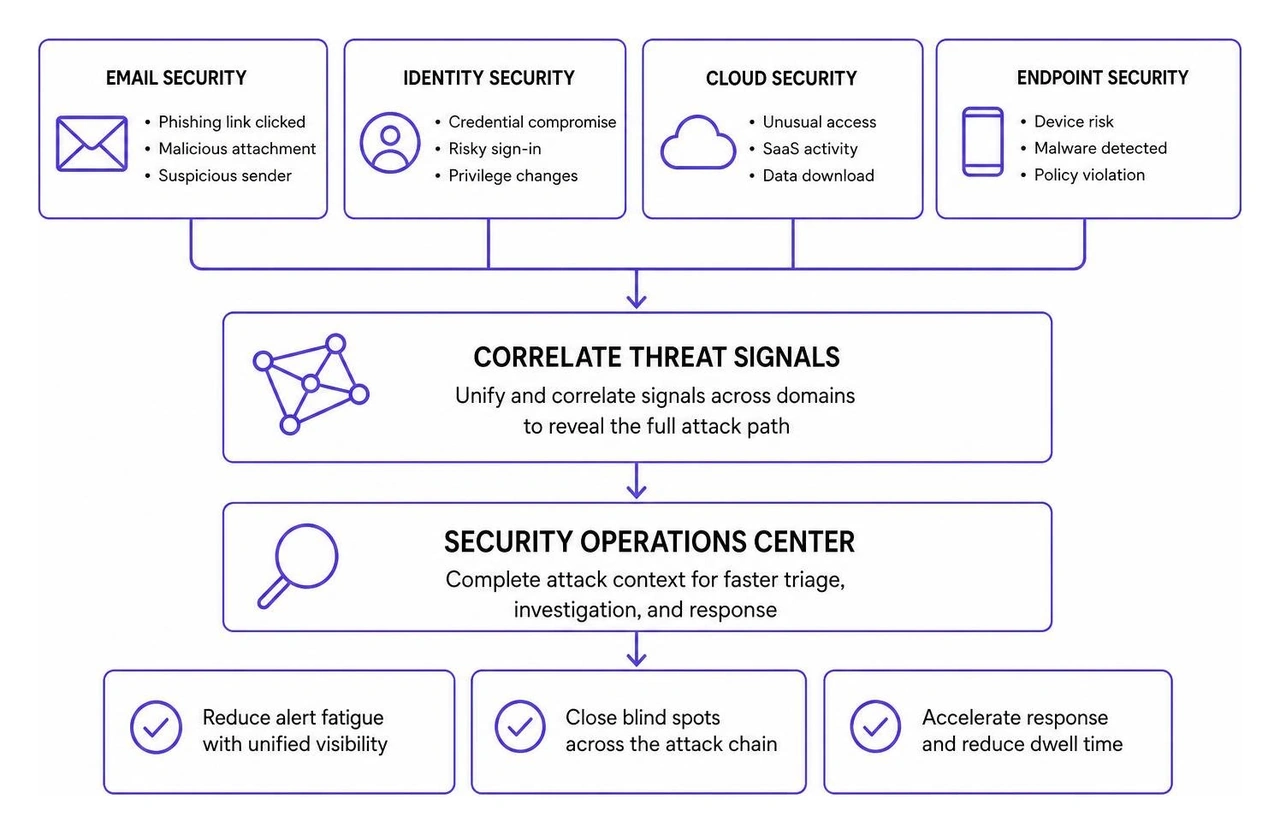
When mobile risk signals remain isolated within an MTD console, security operations teams experience critical visibility gaps:
To understand how modern detection architectures solve this challenge, review our XDR cybersecurity complete guide for 2026 and examine the anatomy of a cyber attack.
WhiteDog Cyber provides a Unified Cybersecurity Platform that connects visibility, detection, response, and risk management into a cohesive operations layer. We do not replace your existing security stack or Microsoft investments—we complement and extend them through modular integration.
WhiteDog correlates security signals across your entire enterprise footprint:
Learn how to elevate enterprise resilience with WhiteDog and unify your security operations across mobile, cloud, and desktop environments.
To connect BlackBerry Protect Mobile with Microsoft Intune, you need active licenses for Microsoft Entra ID P1 (or P2) for Conditional Access policies, Microsoft Intune Plan 1 for device and application management, and a BlackBerry UES tenant account with administrative privileges to configure and authorize the MTD connector.
For unenrolled personal devices, BlackBerry Protect integrates with Microsoft Intune Mobile Application Management (MAM) via App Protection Policies. Telemetry from the BlackBerry Protect app informs Intune of the local risk level. If a threat is detected, Intune selectively wipes or blocks access to managed enterprise applications (such as Outlook and OneDrive) without accessing or removing personal files.
Application persistence uses a firmware-embedded digital tether anchored in device BIOS/UEFI. It continuously monitors the status of the CylancePROTECT agent. If the security service is disabled, tampered with, or uninstalled—by an end user or malicious software—the firmware engine automatically repairs or reinstalls the agent without requiring IT intervention.
Cylance BlackBerry Protect provides a dependable, AI-driven mobile threat defense engine that identifies unknown malware, blocks network manipulation, and prevents phishing attacks across modern mobile operating systems. When integrated with Microsoft Intune and BlackBerry UEM, it enables dynamic conditional access policies that protect corporate resources across both corporate-owned and BYOD assets.
However, protecting mobile devices is only one component of enterprise resilience. To defend against sophisticated, multi-stage threats, organizations must eliminate isolated security silos. By correlating mobile telemetry alongside identity, cloud, network, and endpoint data within a unified operational platform, SecOps teams can turn raw signals into actionable intelligence, eliminate alert noise, and maintain continuous control across the entire attack surface.


Learn how XDR risk reduction eliminates blind spots across endpoints, identity, and cloud to slash detection time and stop attacks faster.

Learn how AI driven threat detection predicts and stops attacks in minutes, with autonomous response across hybrid environments.
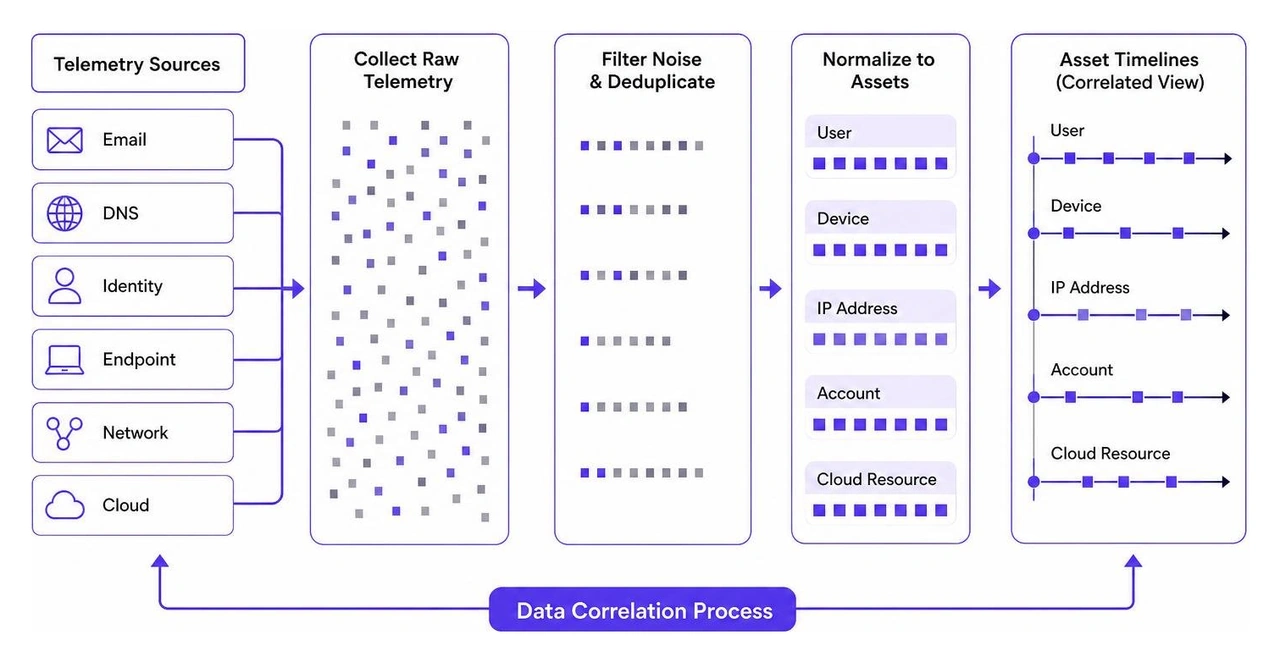
Unify your security with an XDR cybersecurity platform that correlates endpoint, network, and cloud threats for faster, managed response.
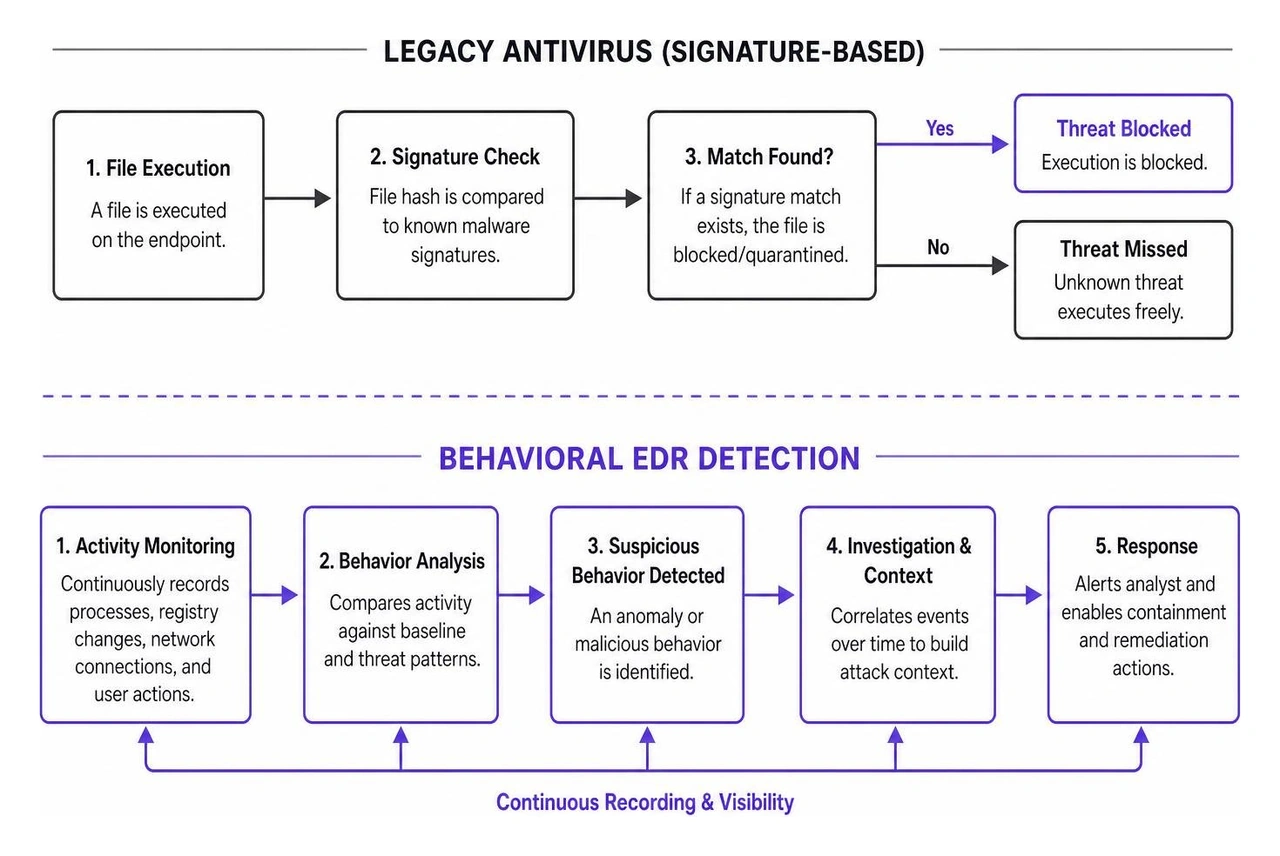
Compare EDR, XDR, and MDR solutions in this guide to endpoint detection & response, featuring WhiteDog's unified platform with 24/7 SOC and incident response.
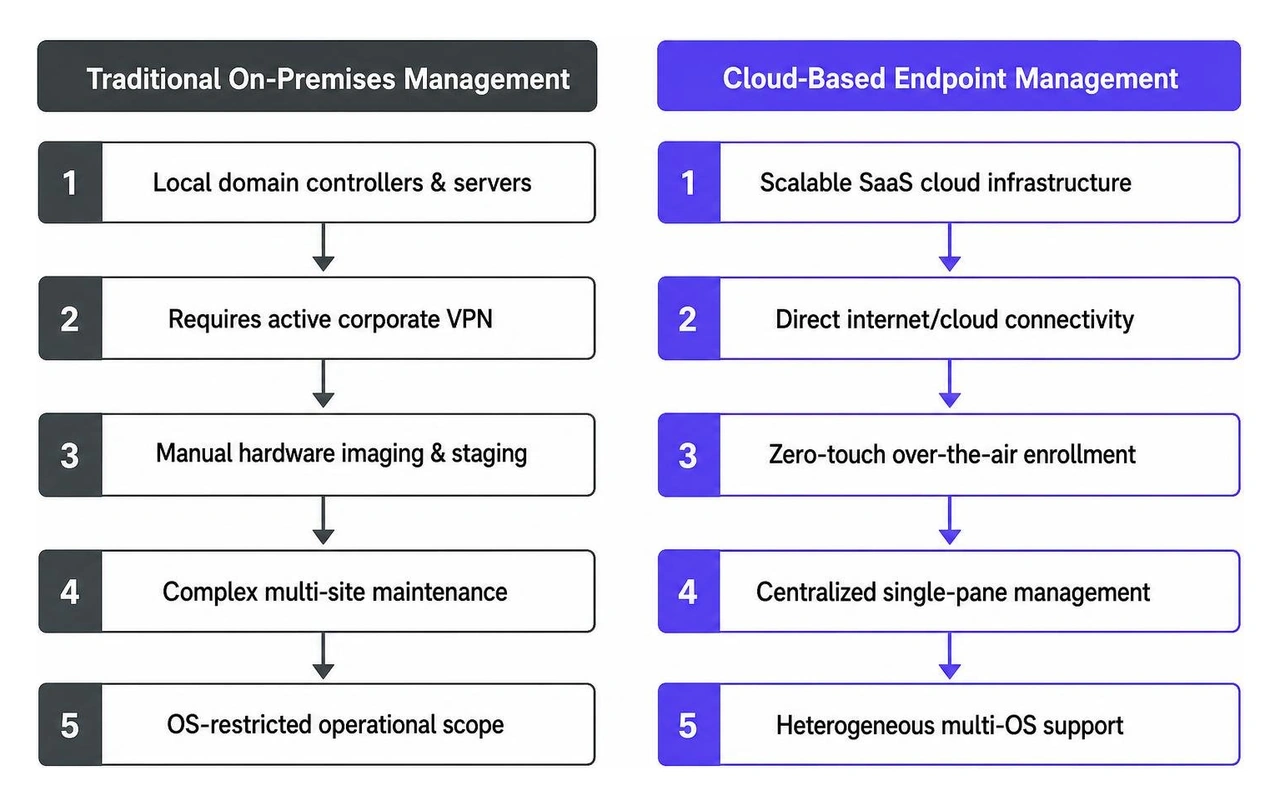
Compare cloud based endpoint management options with this checklist covering security, remote workforce support, and operational efficiency.

Compare MSP MDR detection services to reduce dwell time and boost efficiency with a unified 24/7 SOC platform.