Cybersecurity
May 21, 2026
Discover 2026 internet security threats: AI attacks, nation-states, ransomware. Build Zero Trust defenses with WhiteDog's unified platform now.
AWS Security Hub gives security teams one place to review cloud security findings, assess posture against supported standards, and prioritize work across AWS accounts and Regions. It collects findings from services such as Amazon GuardDuty, Amazon Inspector, and Amazon Macie, then normalizes them in the AWS Security Finding Format (ASFF). For leaders evaluating the service, the key question is simple: can it reduce fragmented alerts and make the next security action clearer? In a well-designed AWS environment, the answer is often yes.
Security Hub is most useful when it is treated as a central layer for cloud posture and finding management, not as a replacement for every detection, ticketing, or response tool. Enable it in the AWS Regions you operate, connect the relevant AWS and partner services, choose the standards that match your obligations, and route high-severity findings into a clear remediation workflow.
For organizations with many accounts, this shared view can help SecOps teams spot patterns that are easy to miss in isolated consoles, such as a rise in risky S3 policies across several business units. It also supports automation rules and Amazon EventBridge integrations, so teams can update findings, open ITSM tickets, or invoke approved remediation actions without handling every alert by hand.
AWS Security Hub can also complement a broader security program. WhiteDog's Delta 360 (Δ360), built on its Open XDR framework, adds a unified operational and security layer across Microsoft and third-party tools to improve correlation, visibility, security hardening, threat detection, exposure management, and response. This helps organizations maximize existing Microsoft investments while connecting cloud findings to the wider attack chain.
I am Shahin Pirooz, a cybersecurity and cloud services executive with more than two decades of experience designing cloud, managed security, and service-provider programs. In this guide, I will explain how AWS Security Hub fits into practical cloud SecOps without adding needless operational complexity.
Basic aws security hub vocab:
Managing multi-account cloud estates requires consolidating fragmented telemetry into an actionable format. Without normalization, security analysts face distinct JSON schemas, severities, and metadata models from every native tool and third-party scanner.
AWS Security Hub addresses this friction by serving as a central Cloud Security Posture Management (CSPM) and alert aggregation service. It standardizes inbound findings using the JSON-based AWS Security Finding Format (ASFF). ASFF enforces a consistent schema across critical fields—including finding identifiers, resource identifiers, severity ratings (Normalized, Critical, High, Medium, Low, Informational), compliance statuses, and remediation steps.
When establishing an enterprise cloud security guide, structured data collection is critical. ASFF ensures that whether a threat is identified by native machine learning anomaly engines or third-party endpoint agents, your SecOps engineers parse identical fields during triage and response orchestration.
Cloud configurations drift continuously as engineering squads push infrastructure updates. AWS Security Hub CSPM actively monitors AWS resources against automated configuration rules to catch misconfigurations before they turn into active breaches.
The service continuously monitors your environments to track resource configurations against baselines. It checks whether:
*).0.0.0.0/0.By unifying misconfiguration detection and active threat telemetry, Security Hub bridges the gap between infrastructure hygiene and operational threat mitigation.
Security Hub translates complex industry standards into automated security checks. It evaluates cloud resources against predefined technical controls and assigns a compliance status (PASSED, FAILED, or WARNING) to each evaluated resource.
| Security Standard / Framework | Primary Focus Area | Typical Control Checks Included |
|---|---|---|
| AWS Foundational Security Best Practices (FSBP) | AWS-curated security hygiene rules across native cloud services | S3 public block enforcement, root account MFA, EBS encryption, IAM key rotation |
| CIS AWS Foundations Benchmark (v1.2.0, v1.4.0, v3.0.0) | Consensus-based industry guidelines for baseline system hardening | CloudTrail multi-Region logging, metric filters for root usage, VPC flow logging |
| Payment Card Industry Data Security Standard (PCI DSS) | Cardholder data environment (CDE) protection requirements | Ingress filtering, strict cryptographic controls, identity lifecycle management |
| NIST SP 800-53 Rev. 5 | Federal security and privacy controls for information systems | Access enforcement, audit generation, system boundary protection, continuous assessment |
Maintaining continuous security compliance requires broad coverage across every active Region. For example, CIS benchmark compliance requires enabling checks across all supported Regions to ensure unmonitored shadow infrastructure is detected. For sensitive environments requiring strict cryptography, Security Hub helps verify FIPS-compliant AWS KMS configurations across key management architectures.
Deploying Security Hub successfully across an enterprise requires deliberate organizational design rather than ad-hoc console enablement.
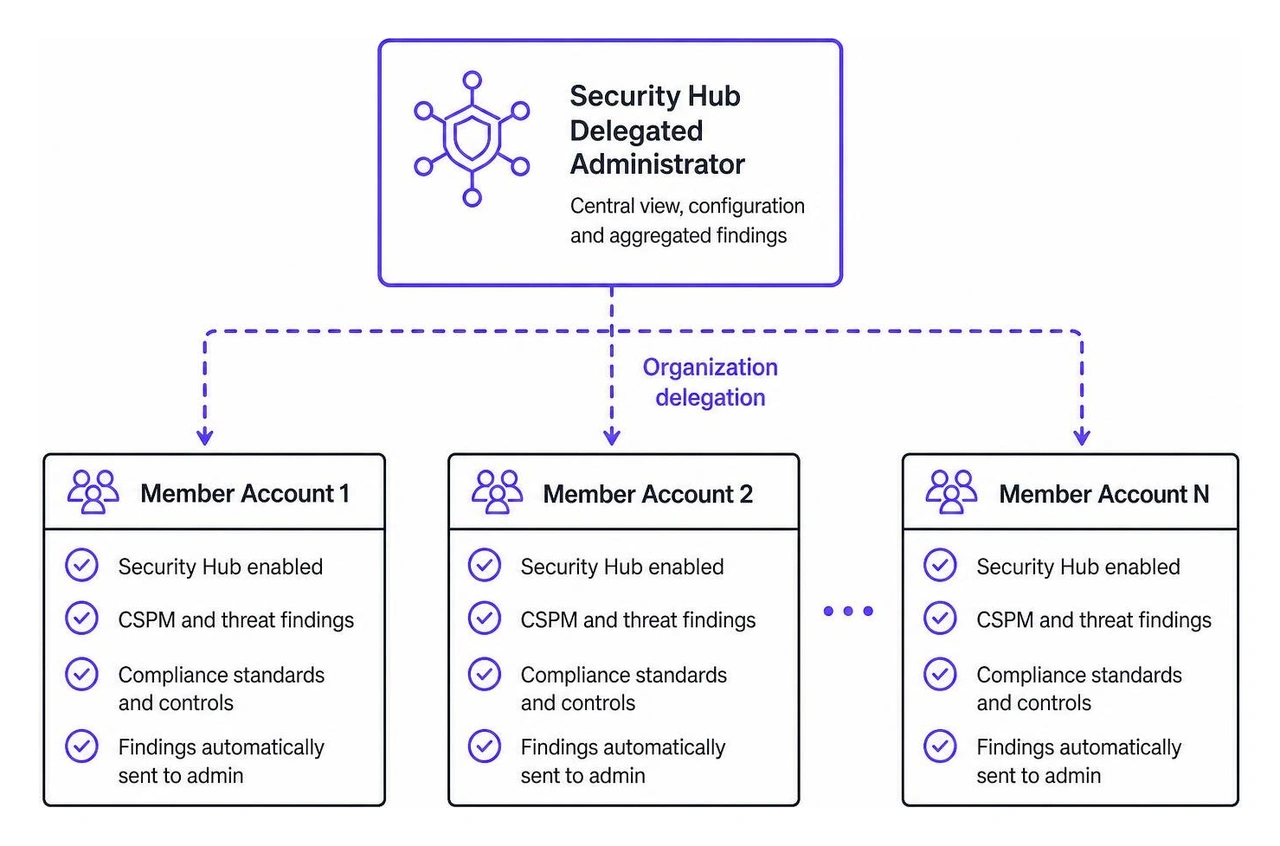
Large organizations should manage Security Hub using AWS Organizations. Rather than managing each AWS account in isolation, best practices call for designating a specific account (such as a dedicated Cloud Security tooling account) as the Security Hub Delegated Administrator.
The delegated administrator can:
For automated rollouts, engineering teams often use the cloudposse/security-hub/aws Terraform module or the AWS CLI to deploy finding aggregators and notification channels uniformly via Infrastructure-as-Code (IaC).
Security Hub operates under a least-privilege administrative model. When you enable Security Hub, AWS automatically provisions a dedicated service-linked role: AWSServiceRoleForSecurityHubV2.
Key attributes of this role include:
securityhub.amazonaws.com service principal permission to describe and read resource metadata (e.g., EC2, S3, IAM, AWS Config) on your behalf.To control user and role access to Security Hub itself, AWS provides four distinct managed policies, documented in the AWS Security Hub managed IAM policies guide:
AWSSecurityHubFullAccess: Grants full administrative control over Security Hub settings, standards, and findings.AWSSecurityHubReadOnlyAccess: Permits read-only visibility for security analysts and auditors.AWSSecurityHubOrganizationsAccess: Enables organization-level administration and member account delegation.AWSSecurityHubServiceRolePolicy: Applied internally to the service-linked role to collect configuration and compliance data.Security teams often operate across dozens of geographic AWS Regions. Managing individual dashboards per Region increases alert fatigue. Security Hub's Cross-Region Aggregation feature links findings from all secondary Regions to a chosen aggregation Region (such as us-east-1 or eu-west-1).
Finding updates, workflow status changes, and record notes synchronize bidirectionally between the home Region and linked Regions.
Once findings are aggregated, teams can build automated remediation workflows using Amazon EventBridge:
Severity.Label equals CRITICAL and Compliance.Status equals FAILED).Pairing automated remediation with an AWS delta detection framework helps organizations identify baseline drift and support internal cloud security audit routines.
A central security hub is only as valuable as the telemetry flowing into it. Security Hub unifies data from across the cloud footprint, turning isolated signals into actionable context.
Security Hub acts as a centralized aggregation layer across first-party AWS security services and third-party solutions:
Security Hub provides a 30-day free trial for every account upon initial enablement. During the trial, organizations have access to full CSPM features and finding ingestion capabilities.
The service's ongoing cost model comprises two primary metrics:
Because Security Hub relies on AWS Config recording rules to execute many of its compliance evaluations, organizations should optimize AWS Config recorder settings to track only security-relevant resource types. For organizations seeking to optimize operations without expanding internal overhead, pairing these tools with AWS managed security services can streamline operational costs and provide continuous oversight.
Security Hub receives finding payloads via internal event pipelines from integrated AWS services and external APIs from third-party partners. Upon receipt, the ingestion engine maps all telemetry into the standardized JSON schema known as the AWS Security Finding Format (ASFF). This converts disparate severity scoring systems, resource references, and timestamp formats into a common format for downstream query and automation engines.
AWS Config acts as the underlying state recorder and evaluation engine for most Security Hub automated compliance checks. When security standards like FSBP or CIS are activated, Security Hub deploys managed Config rules into your account. AWS Config records configuration changes to resources (such as IAM users, S3 buckets, and VPC subnets) and evaluates their compliance state, passing the results back to Security Hub as standardized compliance findings.
Yes. Security Hub integrates natively with Amazon EventBridge. By defining EventBridge event patterns based on specific finding parameters—such as finding type, severity, or compliance status—you can trigger automated response workflows. Common patterns include routing alerts to AWS Step Functions or AWS Lambda functions that automatically adjust security groups, disable compromised IAM access keys, or isolate network segments without manual intervention.
AWS Security Hub provides cloud security operations teams with a clear, centralized framework for managing posture and triage. By aggregating cross-Region findings, standardizing telemetry with ASFF, and automating compliance evaluations against frameworks like CIS and FSBP, it simplifies visibility across multi-account AWS environments.
However, security tooling is only as effective as the operational layer supporting it. Technology alone cannot replace the contextual judgment of seasoned security professionals. Real operational resilience requires combining automated cloud controls with human expertise to validate risks, eliminate false positives, and execute response actions with precision.
WhiteDog helps organizations unify their defense posture across fragmented environments. Our Unified Cybersecurity Platform bridges MDR, XDR, Delta Detection & Response (DDR), and continuous exposure management, providing unified visibility across email, DNS, identity, endpoint, network, cloud, and data, with incident response included directly across MDR, XDR, and DDR. Rather than requiring a rip-and-replace approach, WhiteDog's modular integration, Open XDR framework, and Delta 360 (Δ360) complement and maximize your existing investments—including Microsoft 365 environments—by adding a centralized operational layer for threat detection, correlation, and response.
Backed by continuous attack surface management and 24×7 security operations building on correlated intelligence to identify threats earlier and respond with confidence, WhiteDog transforms disconnected telemetry into actionable intelligence. Explore our AWS Managed Security Services Guide 2026 to learn how unified security operations can elevate your cloud defense.

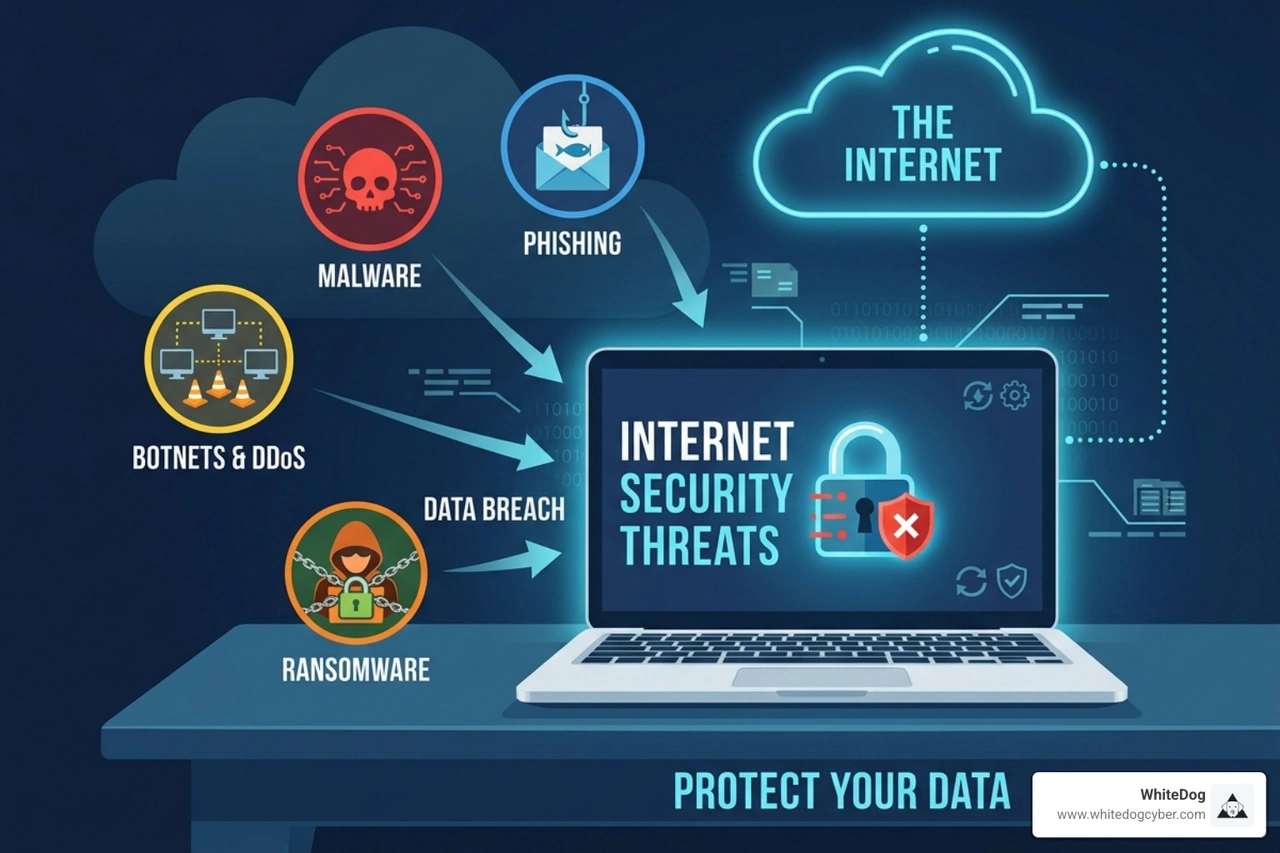
Discover 2026 internet security threats: AI attacks, nation-states, ransomware. Build Zero Trust defenses with WhiteDog's unified platform now.

Demand a SOC onboarding guarantee: Achieve 30-day deployment, 24/7 monitoring, and risk reduction with proven SLAs.
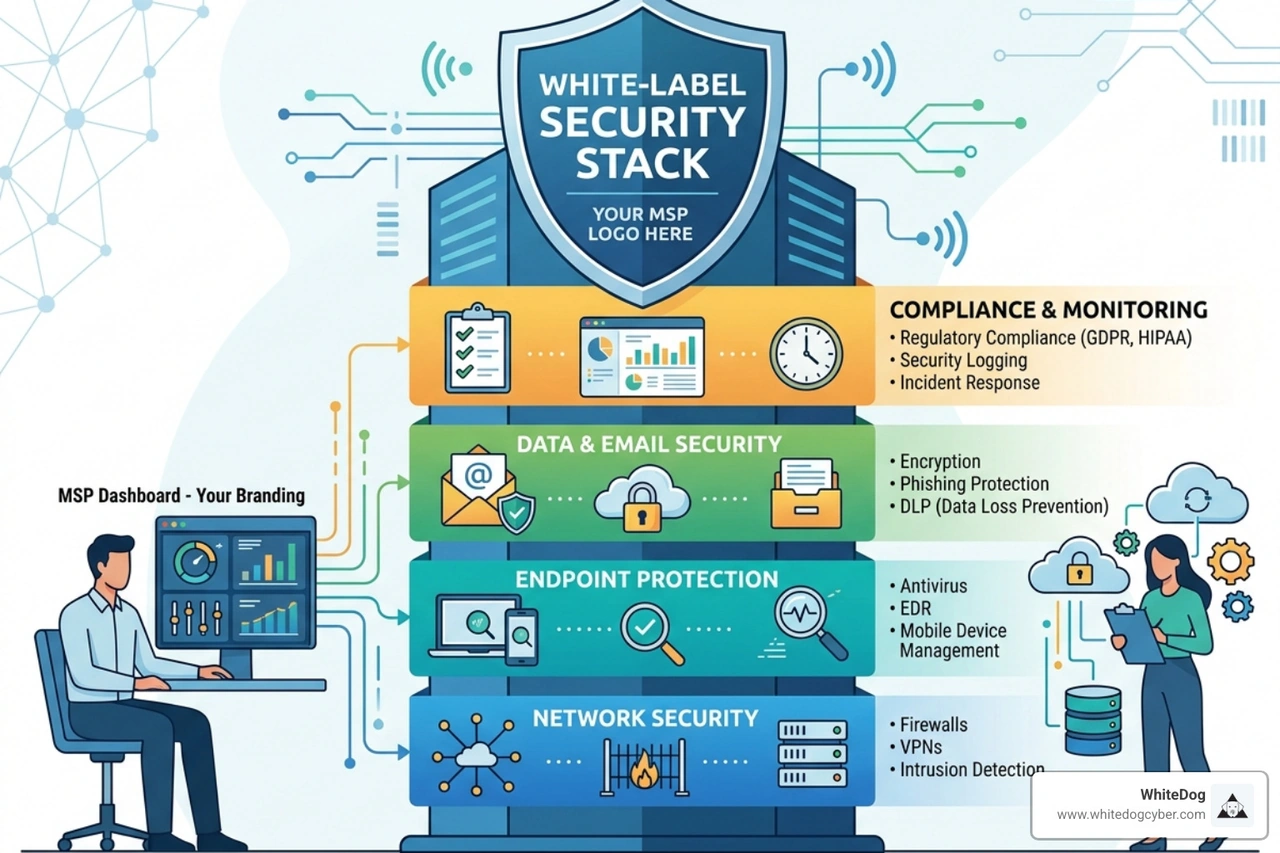
Discover how an MSP white-label security stack solves talent gaps, scales profitability, and delivers 24/7 protection in 2026.

Discover MSP SOC as service: Scale revenue, cut costs vs in-house SOC, leverage AI XDR, and boost compliance for MSPs.

Discover why 24x7 SOC for MSPs eliminates alert fatigue, scales security, and lets you sleep at night with 24/7 protection.
Master your cybersecurity incident response workflow with NIST, SANS, and DDR strategies for rapid detection, containment, and recovery.