Cybersecurity
May 23, 2026
Discover the edr solution meaning: master endpoint detection, response, AI analytics, and defense against modern threats for resilient cybersecurity.
To set up security hub integration, enable AWS Security Hub CSPM in each target account and Region, then turn on the AWS services or supported partner products you want to connect. Security Hub brings their findings into a common format so your team can review cloud risks in one place. Check regional support before connecting a tool: an integration may not appear in the console if it is unavailable in your Region.
A shared view is most useful when it leads to action. WhiteDog's Delta 360 (Δ360), built on its Open XDR framework, complements Microsoft security investments by adding a unified operational and security layer across Microsoft and third-party tools through modular integration. This helps teams get more from existing investments through clearer correlation, visibility, security hardening, threat detection, exposure management, and response.
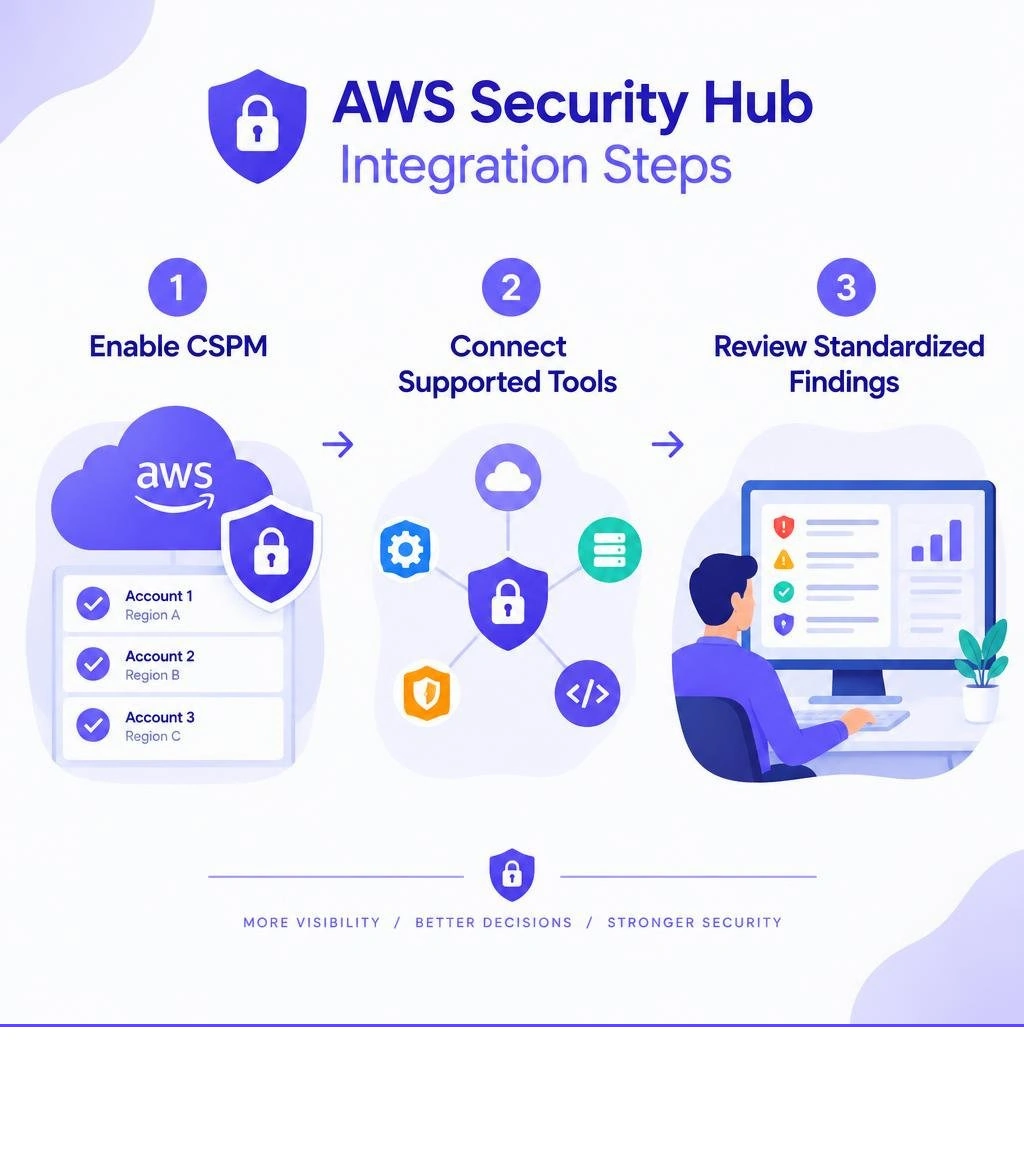
Security hub integration vocab to learn:
Operating modern cloud infrastructure involves monitoring dozens of distinct signal types, ranging from misconfiguration alerts and runtime threats to data exposure warnings. Without a unified posture framework, security teams face fragmented visibility, context switching across individual tool dashboards, and overwhelming alert noise. AWS Security Hub acts as a centralized cloud security posture management (CSPM) clearinghouse that ingests, aggregates, and prioritizes findings from across your cloud infrastructure.
To build a comprehensive AWS Security Hub strategy, organizations must understand how findings move through the lifecycle pipeline. When you activate Security Hub, it establishes a standardized data flow relying on native AWS event buses, dedicated ingestion APIs, and structured JSON normalization schemas. Findings remain active in Security Hub and receive updates until the underlying issue is resolved. If an active finding receives no further state modifications or compliance evaluations, Security Hub retains it across a standard 90-day retention window before automatic deletion.
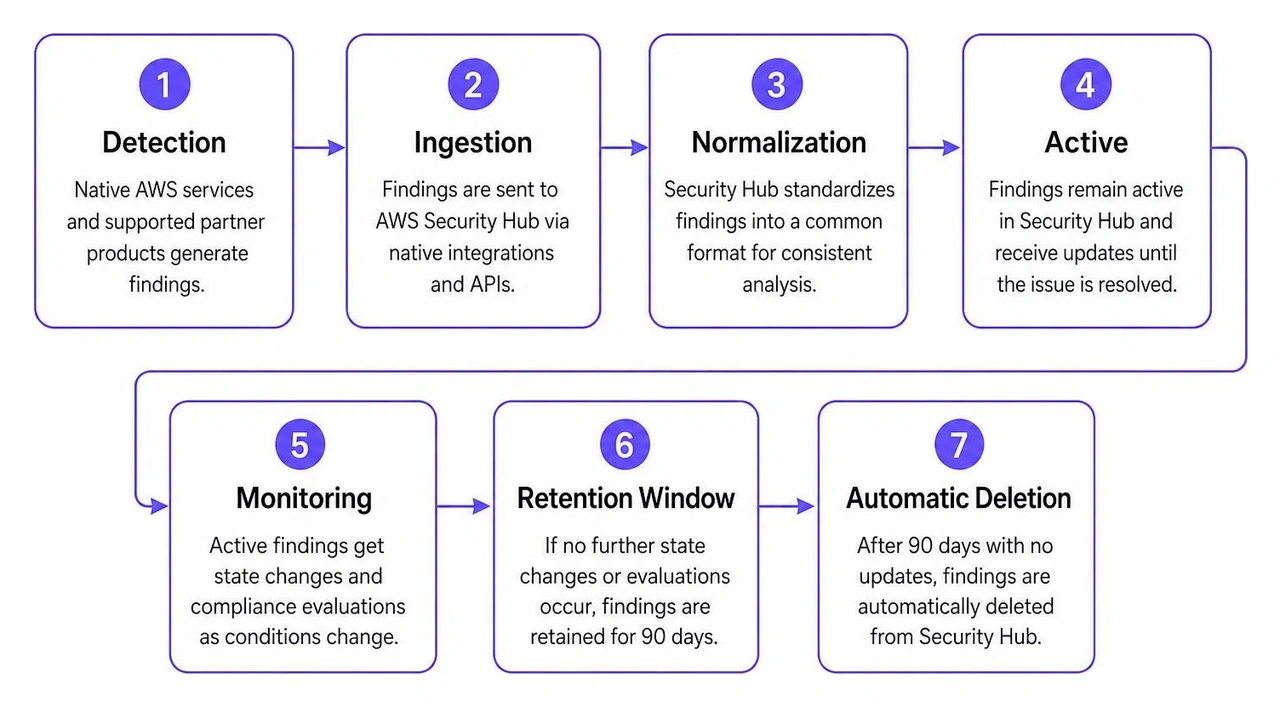
Finding flows through Security Hub operate across two primary paths: inbound telemetry ingestion and outbound finding dispatch. Inbound workflows capture evaluations from cloud-native posture checkers, threat detection services, and third-party scanners. Most native inbound integrations connect automatically via service-linked EventBridge rules once both services are enabled in an account. Inbound telemetry captures infrastructure drift, behavioral anomalies, and software flaws, which feed into AWS anomaly detection mechanisms to highlight sudden configuration shifts.
Outbound workflows distribute standardized findings to external operational destinations, such as ticketing systems, SIEM and SOAR platforms, or analytics engines. Outbound distribution relies on Amazon EventBridge rules, custom actions created within the Security Hub console, or automated dispatch scripts that trigger when finding attributes match predefined severity or compliance criteria.
Disparate security tools produce telemetry using vendor-specific syntax, distinct severity ratings, and incompatible field structures. Security Hub eliminates this friction by transforming every ingested event into the AWS Security Finding Format (ASFF), standardized under JSON schema version 2018-10-08.
The ASFF structure normalizes critical security attributes into consistent fields:
AwsAccountId: Identifies the specific AWS account where the resource resides.GeneratorId: Denotes the rule or signature that generated the alert.ProductArn: Identifies the native service or partner integration product.Resources: Captures targeted resource identifiers, including resource ARNs, types, and tags.Severity: Normalizes severity levels across standardized labels (INFORMATIONAL, LOW, MEDIUM, HIGH, CRITICAL).Workflow.Status: Tracks the operational lifecycle state (NEW, NOTIFIED, SUPPRESSED, RESOLVED).When external or custom systems send telemetry via the BatchImportFindings API, payloads must strictly adhere to the ASFF schema. Descriptions longer than 1,024 characters are automatically truncated with a dedicated marker, ensuring consistent storage and parsing performance across downstream tools.
Establishing native AWS service integrations with Security Hub CSPM provides an immediate foundation for environment-wide posture visibility. Security Hub natively integrates with 16 AWS services that send findings directly without requiring custom middleware or complex API ingestion scripts.

Native findings are delivered via Amazon EventBridge on a near-real-time basis. For core services such as AWS Config, Amazon GuardDuty, and AWS Health, new findings typically appear in the Security Hub console within a five-minute delivery window from initial generation.
Inbound native integrations feed configuration, behavioral, vulnerability, and network telemetry directly into the Security Hub engine:
Once findings are centralized, specialized AWS services can consume the standardized ASFF data to support root-cause investigations, compliance reporting, and operational response:
Connecting these consumers transforms static posture data into active AWS incident response solutions that accelerate containment workflows.
While native AWS services provide comprehensive visibility into cloud infrastructure, modern enterprise environments rely on specialized third-party tools for runtime protection, endpoint security, and software composition analysis. Security Hub integrates with over 50 third-party partner products, allowing organizations to combine cloud misconfiguration telemetry with workload and application security insights.
Connecting these systems requires reviewing supported Third-party integrations for Security Hub to confirm that each product's specific Amazon Resource Name (ARN) is available and authorized within your deployment accounts. Centralizing partner data helps teams maintain rigorous cloud security audit readiness without manually compiling spreadsheets across isolated vendor consoles.
Managing security at scale requires seamless coordination between security teams and engineering units. Bidirectional integrations bridge this gap by enabling Security Hub to dispatch findings to IT Service Management (ITSM) and incident tracking platforms like Jira Service Management and ServiceNow, while accepting status updates back from those tools.
When a high-severity finding appears in Security Hub, automated rules route the alert to create an engineering ticket. As developers resolve the vulnerability and update the ticket status in ServiceNow or Jira, the integration utilizes the BatchUpdateFindings API to synchronize the Workflow.Status (e.g., transitioning from NEW to RESOLVED or SUPPRESSED) back in Security Hub. This bidirectional synchronization prevents alert duplication, ensures audit integrity, and eliminates manual status tracking between security analysts and operations teams.
Organizations with proprietary security tools, custom in-house compliance scanners, or unpartnered detection scripts can integrate directly with Security Hub using standard API endpoints.
To ingest custom findings:
BatchImportFindings API endpoint to push up to 100 findings per API request.For commercial security vendors seeking to become an official Security Hub partner, AWS provides a structured onboarding path. Partner products must demonstrate automated ASFF formatting, support cross-Region finding routing, and undergo architectural validation. Vendors initiate this formal onboarding process by submitting their integration design directly to the Security Hub partner management team via email at securityhub-partners@amazon.com.
Leveraging these programmatic channels helps organizations turn Security Hub into a unified AWS security observability platform that accommodates both commercial enterprise software and internal proprietary scripts.
Deploying security integrations across large, multi-account AWS Organizations requires automated orchestration. Manually enabling partner subscriptions across dozens of accounts and multiple active Regions is error-prone and leads to visibility gaps.
| Integration Category | Telemetry Source / Destination | Typical Delivery Latency | Primary Ingestion Mechanism | Common Operational Tools |
|---|---|---|---|---|
| Native AWS Senders | AWS Config, GuardDuty, Inspector, Macie | Under 5 minutes | Service-linked EventBridge events | CloudWatch, Control Tower |
| Native AWS Receivers | Detective, Security Lake, Audit Manager | Near-real-time | Automated EventBridge routing | OpsCenter, Amazon Q |
| Third-Party Senders | Commercial vulnerability & workload tools | 5–15 minutes | BatchImportFindings API / Partner ARN | External security scanners, workload protection tools |
| Bidirectional ITSM | Incident management & ticketing platforms | Event-driven | Bidirectional EventBridge & BatchUpdateFindings | Jira Service Management, ServiceNow |
| Custom In-House | Proprietary internal scanning scripts | User-defined / Batch | Custom BatchImportFindings API calls | In-house CI/CD scanners, bespoke scripts |
Enterprise security teams rely on Infrastructure as Code (IaC) to maintain consistent security tooling across their entire cloud footprint. You can automate partner integrations across all accounts by deploying AWS CloudFormation StackSets from a delegated administrator account.
As outlined in AWS guidance to Enable Security Hub partner integrations across your organization, administrators can target specific Organizational Units (OUs) within AWS Organizations. By pairing StackSets with custom Lambda-backed deployment resources, new member accounts automatically receive the necessary integration permissions, product ARN subscriptions, and EventBridge forwarding rules upon creation. This approach ensures continuous alignment with an advanced cloud security guide framework without requiring manual administrative intervention for every new account.
Security Hub is a regional service, meaning findings are generated and managed within the specific AWS Region where the evaluated resources operate. While cross-Region finding aggregation allows you to designate an aggregation Region to view global findings in a primary dashboard, integrations themselves remain subject to regional availability rules.
If a third-party partner integration or a specialized AWS service is not supported in a particular Region—such as specific AWS GovCloud (US) partitions or isolated AWS China Regions—the integration will not appear in the Security Hub console for that Region. Security architects must verify that both the source product and the partner ARN are fully operational in their target deployment regions before designing enterprise alerting pipelines.
No. Security Hub receives and consolidates security findings only after it has been enabled for your AWS accounts. It does not pull historical findings generated prior to enablement. Once activated, connected services such as AWS Config or Amazon Inspector will forward new evaluations and compliance updates going forward, but baseline historical alerts must be re-evaluated by triggering fresh scans.
When native AWS services or integrated tools send findings via Amazon EventBridge, the underlying event bus implements built-in fault tolerance. If Security Hub is temporarily unavailable or throttled, EventBridge retries finding delivery on a best-effort basis for up to 24 hours or up to 185 retry attempts, whichever threshold is reached first. This prevents telemetry loss during transient network partitions or regional service disruptions.
If a partner product integration does not appear on the Integrations page in your Security Hub console, it is typically due to regional availability constraints. Partner integrations must be published and supported in the specific AWS Region you are currently accessing. If the vendor has not deployed their integration ARN to that active Region, it will be omitted from the console catalog. Verify your active console Region and confirm regional partner availability in the service documentation.
A unified security hub integration strategy eliminates fragmented cloud visibility by consolidating native AWS alerts, third-party security telemetry, and custom scanner outputs into a single, standardized operational pane. By normalizing diverse findings into the AWS Security Finding Format (ASFF), organizations can eliminate alert noise, accelerate root-cause investigation, and establish automated remediation workflows across enterprise ticketing systems.
Turning raw cloud posture findings into decisive risk reduction requires connecting visibility directly to operational execution. WhiteDog's Unified Cybersecurity Platform provides correlated intelligence across complex IT ecosystems, extending visibility across email, DNS, identity, endpoint, network, cloud, and data. Through modular integration, WhiteDog complements and maximizes Microsoft and third-party tools without requiring teams to replace existing investments. While Open XDR delivers unified visibility and detection, our fully managed 24/7 SOC capabilities—available across our MDR, XDR, and top-tier Delta Detection & Response (DDR) offerings—combine continuous attack surface management with expert human analysis. Incident response is included in MDR, XDR, and DDR, supporting a multi-layered approach that helps security teams identify threats earlier, harden cloud posture, and respond with lasting confidence.
To see how centralized posture management strengthens your cloud defense, explore our unified AWS Security Hub platform strategies and streamline your cloud operations today.

Discover the edr solution meaning: master endpoint detection, response, AI analytics, and defense against modern threats for resilient cybersecurity.
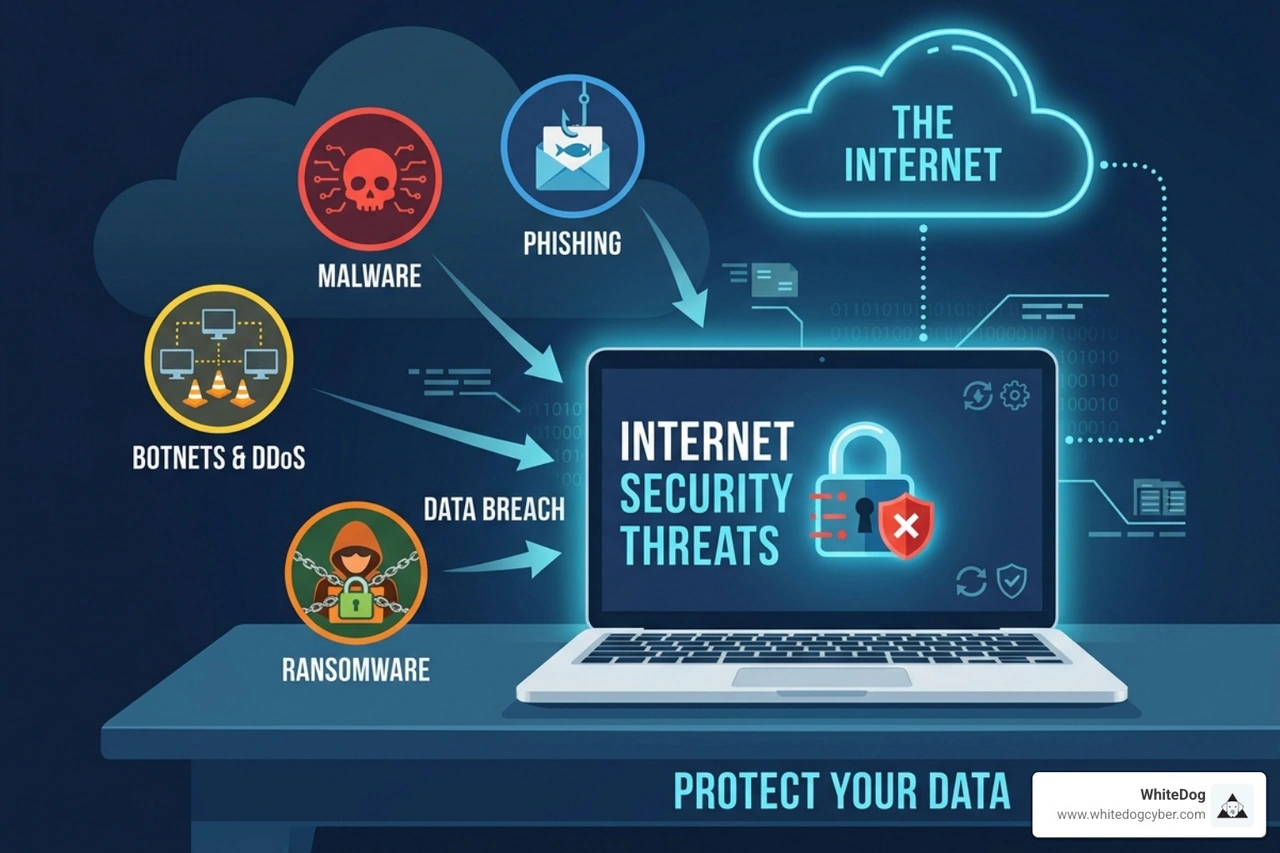
Discover 2026 internet security threats: AI attacks, nation-states, ransomware. Build Zero Trust defenses with WhiteDog's unified platform now.

Demand a SOC onboarding guarantee: Achieve 30-day deployment, 24/7 monitoring, and risk reduction with proven SLAs.
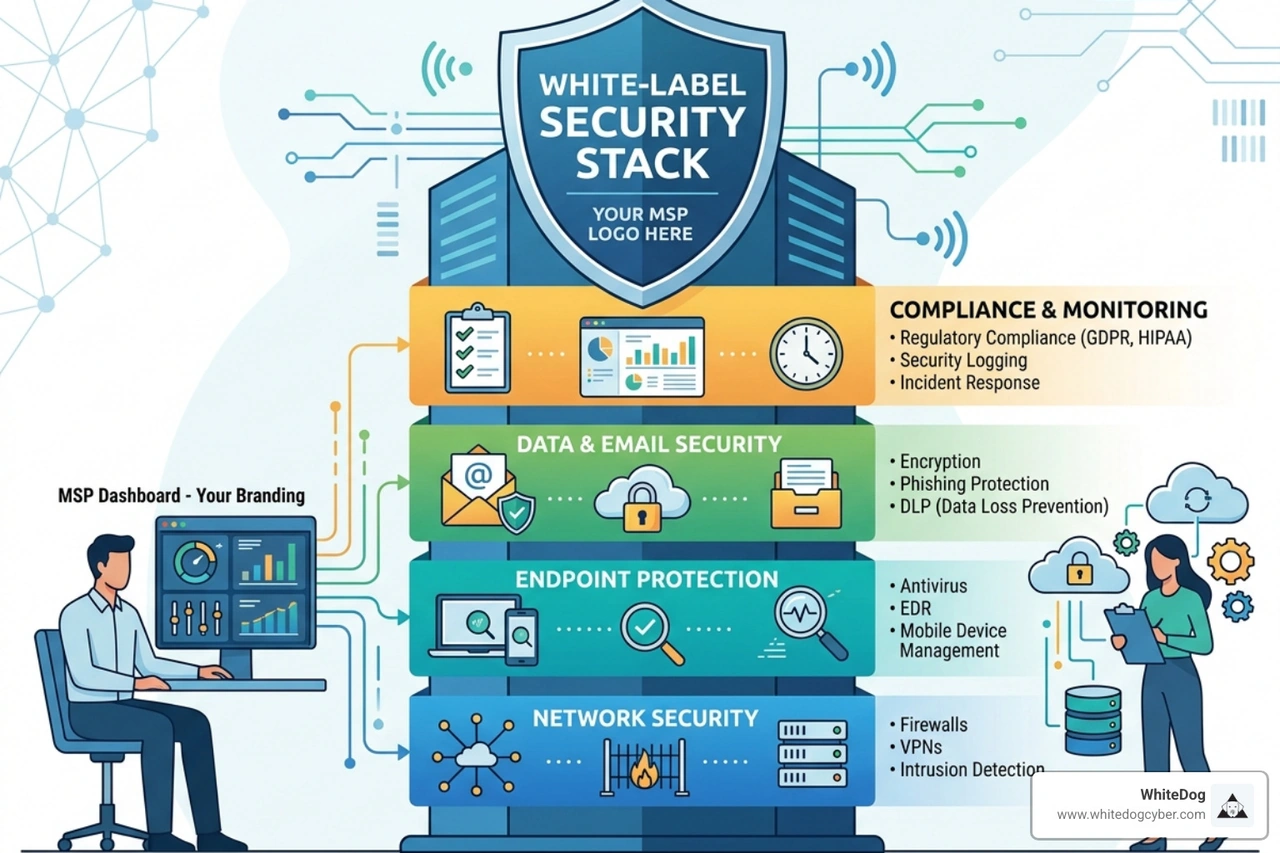
Discover how an MSP white-label security stack solves talent gaps, scales profitability, and delivers 24/7 protection in 2026.

Discover MSP SOC as service: Scale revenue, cut costs vs in-house SOC, leverage AI XDR, and boost compliance for MSPs.

Discover why 24x7 SOC for MSPs eliminates alert fatigue, scales security, and lets you sleep at night with 24/7 protection.